

The most popular advice in hosting is also the most expensive in practice: start with the cheapest plan you can find.
That works for a hobby site. It often fails for a business site.
A small business website isn’t just a brochure anymore. It handles lead forms, quote requests, carts, support inquiries, bookings, email, and sometimes internal tools. When owners buy hosting by sticker price alone, they usually ignore the costs that show up later: poor performance, support delays, messy migrations, weak backups, and renewal pricing that turns a “cheap” plan into a bad long term deal.
For affordable small business web hosting, the right question isn’t “What’s the lowest monthly number?” It’s “What will this platform cost me to run, secure, support, and scale over time?”
Here’s the practical lens I use.
| Hosting factor | What to check first | Why it matters to SMBs |
|---|---|---|
| Entry price vs renewal | Intro term, renewal term, contract length | Cheap promos can hide expensive long term ownership |
| Performance stack | NVMe or SSD, LiteSpeed or Apache, caching | Faster pages improve user experience and reduce friction |
| Reliability | Uptime commitment, real monitoring, isolation | Downtime costs trust, leads, and sales |
| Security | SSL, malware protection, account isolation, backups | Weak security creates cleanup costs later |
| Support | Response quality, migration help, managed options | Good support shortens outages and prevents missteps |
| Upgrade path | Shared to VPS to dedicated/private cloud | Clean scaling prevents disruptive replatforming |
The Hidden Risks of Chasing the Cheapest Hosting
If you shop by the lowest intro rate, you’re shopping inside the most aggressive part of the market.
The affordable shared hosting market saw introductory pricing decline by approximately 37% from 2020 to 2024, while renewal pricing typically climbs to around $10.99 per month after the initial term. That combination tells you a lot about how these plans are sold. The first invoice is the hook. The second contract is where the economics change.

Cheap plans often push risk back onto the customer
A bargain shared plan can be fine for a basic brochure site with light traffic. The problem starts when the plan is marketed as if it can support any small business workload.
That’s where owners get into trouble. They buy on price, then discover the trade-offs only after launch.
- Performance gets inconsistent when too many accounts compete for the same server resources.
- Support becomes part of the cost equation when a slow response turns a small issue into a public outage.
- Backups sound included until you need a restore and find unclear retention, restore fees, or a slow process.
- Scaling gets awkward when the provider has no clean path from shared hosting into VPS or dedicated infrastructure.
The real metric is TCO
Total cost of ownership matters more than the promo rate.
TCO includes the plan itself, but also your time, developer time, migration effort, support delays, security cleanup, and the cost of switching later because the original platform can’t keep up.
Practical rule: If the cheapest plan forces you into an early migration, it wasn’t the cheapest option.
Small businesses usually don’t fail because hosting was expensive. They lose money because the wrong hosting created friction at the wrong moment. A slow checkout, an unavailable form, or a broken plugin update on a weak platform costs more than a slightly higher monthly bill on stable infrastructure.
Decoding Affordable What SMBs Really Need
Small businesses still need low barriers to entry. That part is real. In 2025, 73% of U.S. small businesses maintain a website, and 26% of those without one cite cost as the primary barrier.
So yes, hosting has to be accessible. But “affordable” has to mean more than “cheap enough to buy today.”
Four things that make hosting affordable in practice
The first is performance.
A business site doesn’t need exotic infrastructure on day one, but it does need predictable speed. Visitors won’t care that your hosting was inexpensive if product pages drag, forms time out, or WordPress admin becomes painful every time you update content.
The second is security.
For a small business, security isn’t a luxury layer. It’s part of operating cost control. Malware cleanup, account compromise, and bad backup hygiene create surprise labor and downtime. A host that includes a usable security baseline is often cheaper over the life of the site than a bare plan with constant patchwork fixes.
Support and scalability are where cheap hosting usually breaks
A non-technical owner can tolerate a simple control panel. They can’t tolerate waiting while a live issue sits unresolved.
Good support lowers operational cost. It reduces the time your staff spends opening tickets, searching forums, and trying risky fixes in production. That matters just as much as the monthly fee.
Then there’s scalability. This is the piece most comparison pages undersell.
A provider should let you start small and grow without rebuilding everything. If a plan works only until your first traffic spike, plugin-heavy redesign, or new email requirement, it isn’t affordable. It’s temporary.
Affordable small business web hosting should let you start lean, stay secure, and upgrade without drama.
A better definition of value
Use this test before you buy:
- Can this plan support the site I need now?
- Can it handle the next stage without a forced migration?
- Will my team get help when something breaks?
- Are security and backups built into the operating model, not bolted on later?
If the answer is no to any of those, the low price is only cosmetic.
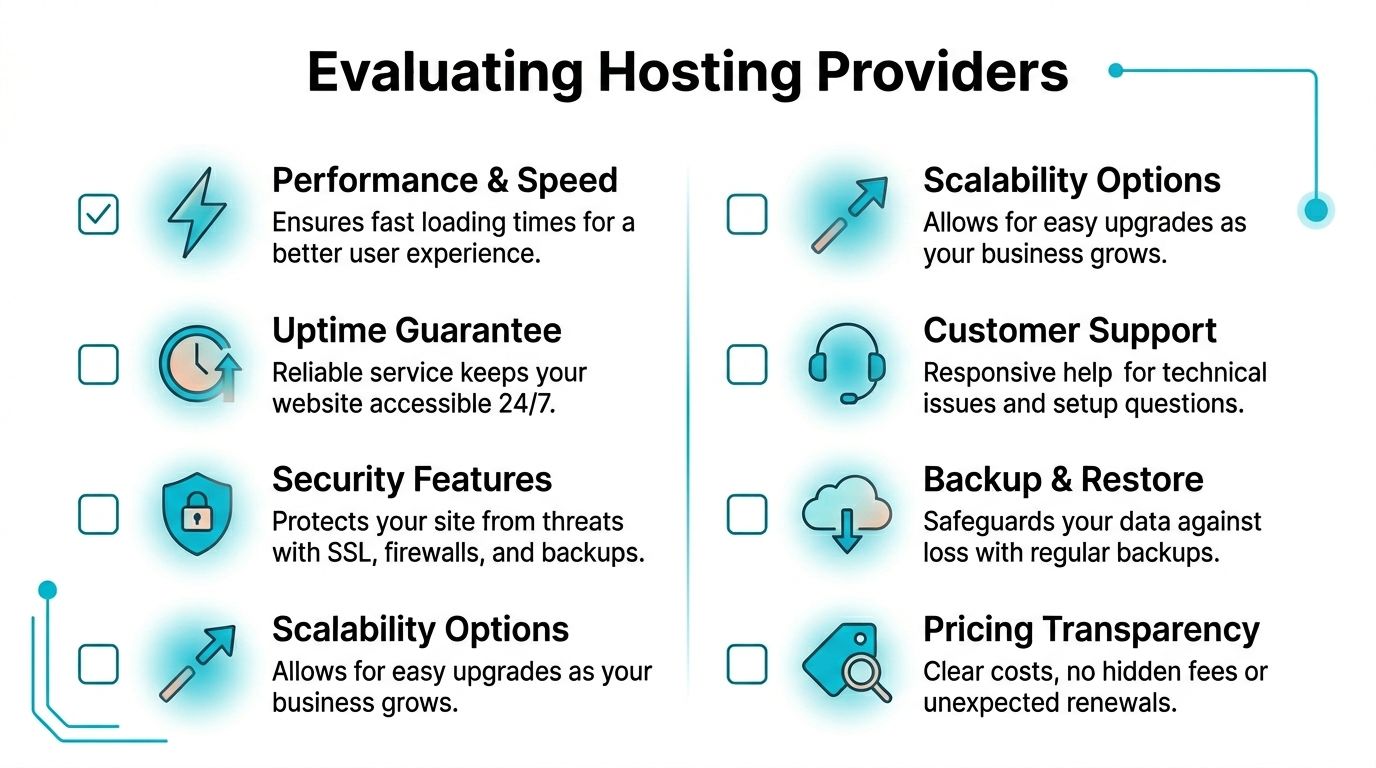
Essential Criteria for Evaluating Hosting Providers
Most hosting pages make every plan look interchangeable. They aren’t.
The practical way to evaluate a provider is to inspect the stack, the operating model, and the upgrade path. Marketing language won’t tell you much. Technical specifics will.
Start with reliability and isolation
For small business hosting, a 99.9% uptime guarantee is table stakes, but stronger providers often log 99.95%+ actual uptime. Another key differentiator is resource isolation. Containerized accounts can reduce the impact of noisy neighbors by up to 80% on shared infrastructure.
That matters because shared hosting problems usually aren’t caused by your site. They’re caused by somebody else’s site consuming resources badly.
When reviewing a provider, check for:
- Account isolation that separates workloads cleanly.
- Clear uptime language instead of vague availability promises.
- Monitoring and response processes that indicate someone is watching the platform, not just waiting for tickets.
Inspect the performance stack
The control panel matters less than the server stack underneath it.
Ask what kind of storage the provider uses. Ask what web server they run. Ask whether caching is included and whether the platform is tuned for the CMS you use.
A practical checklist:
- Storage layer: NVMe is preferable when you care about admin responsiveness, database-heavy sites, or stores with frequent reads and writes.
- Web server stack: LiteSpeed-based environments are often a better fit for WordPress and PHP-heavy workloads than older Apache-first setups.
- Caching support: Server-side caching saves time and cuts plugin sprawl.
- Version management: You want modern PHP support and a provider that updates core platform components regularly.
Verify security and backup details
Don’t accept “daily backups” as enough detail.
Ask how backups are stored, how often they run, how restores are requested, and whether they’re tested. Also check whether account isolation, malware scanning, patching, and web application protections are built into the service.
For business sites, I’d rather see a host include practical controls such as CloudLinux-style isolation, malware defense, and straightforward restore workflows than a long list of vague “enterprise security” claims.
A backup only counts if you can restore it quickly and with confidence.
Judge support by task, not by slogan
“24/7 support” can mean expert engineers or a ticket queue reading scripts.
Test support with a pre-sales question that requires technical clarity. Ask about migration steps, WordPress performance tuning, backup restores, or upgrade paths from shared hosting to VPS. The answer will tell you more than the homepage.
If you want a deeper buyer checklist, ARPHost has a practical guide on how to choose a web hosting provider that aligns with the same evaluation approach.
Why ARPHost excels here
For businesses that outgrow basic shared hosting, one workable route is a managed stack that combines VPS hosting, secure web hosting bundles, and room to move into bare metal or Proxmox private cloud later. ARPHost offers that kind of path, along with instant applications and managed IT services, which is useful when the business wants to reduce admin overhead rather than assemble tools from multiple vendors.
Comparing Hosting Types Shared vs VPS vs Dedicated
The right hosting type depends less on your company size and more on your workload.
A five-person business with a busy WooCommerce store can outgrow shared hosting faster than a fifty-person firm running a simple brochure site. That’s why hosting type should be chosen by resource behavior, security needs, and change rate.
Hosting Type Comparison for Small Businesses
| Feature | Shared Hosting | VPS Hosting (e.g, ARPHost KVM VPS) | Dedicated Server (e.g, ARPHost Bare Metal) |
|---|---|---|---|
| Cost profile | Lowest entry price | Mid-range, more predictable value | Highest cost, highest control |
| Resource model | Shared with other accounts | Virtualized dedicated resources | Full physical server |
| Performance consistency | Variable under neighbor load | Much more consistent | Highest consistency when configured well |
| Security isolation | Limited compared with VPS | Stronger isolation | Strongest isolation |
| Root access | Usually no | Usually yes | Yes |
| Custom software | Restricted | Flexible | Fully flexible |
| Best fit | Simple sites, low traffic, early-stage presence | Growing business sites, stores, apps, dev workloads | High-demand apps, custom stacks, strict compliance or performance needs |
| Upgrade friction | Can require migration when limits hit | Easier scaling path | Expansion usually means adding architecture, not just resizing |
| Management burden | Lowest if fully managed | Moderate unless managed | Highest unless managed |
Shared hosting is a starting point, not a growth platform
Shared hosting works when the site is simple, traffic is modest, and you don’t need custom server control.
That usually means brochure sites, small service businesses, or early-stage WordPress installs with light plugin usage. The benefit is easy entry. The weakness is that your performance and stability depend on a multi-tenant environment you don’t control.
For small businesses, shared hosting is best treated as a launch pad. It’s not the place to stay once the site becomes operationally important.
VPS is where value and control meet
For many SMBs, VPS hosting is the practical middle ground.
You get dedicated virtual resources, stronger isolation, and control over the stack without jumping straight to the cost and management overhead of full hardware. That matters when you need better WordPress performance, more reliable email-adjacent services, staging environments, scheduled jobs, or application components beyond a simple website.
The performance side is also clearer here. In 2026 benchmarks, hosting built on LiteSpeed Enterprise and NVMe storage achieved average response times under 400ms, and NVMe offers up to 10x higher read/write IOPS than traditional SSDs, according to BigCloudy’s hosting benchmark review. For e-commerce or database-heavy workloads, that difference shows up in admin speed, cart behavior, and resilience during busy periods.
Dedicated is for businesses with heavier demands
Dedicated servers make sense when you need full hardware control, stronger tenant isolation, custom application stacks, or room for multiple workloads on one box.
This is common for larger stores, custom apps, agencies hosting multiple client environments, and internal services that need strict separation. It’s also where private cloud and virtualization strategies start to make more sense, especially when the site is only one part of a larger business platform.
If your website is tied to revenue, inventory, or client operations, choose the platform you can still use comfortably after growth, not just the one you can buy today.
For a direct breakdown of where the line sits between entry hosting and virtual infrastructure, this comparison of shared hosting vs VPS is worth reviewing before you commit.
Recommended Hosting for Common Business Use Cases
The fastest way to pick the right plan is to match hosting to the workload you run.
Most small businesses fall into one of a few patterns. The mistake is buying the same cheap plan for all of them.

The new business with a WordPress brochure site
This business needs a clean launch, low admin burden, and room to grow.
A secure shared hosting plan or entry managed web hosting bundle is often enough if the site is mostly informational, the plugin count stays disciplined, and traffic is still building. The key is not to overbuild, but also not to trap the site on a platform that can’t scale cleanly.
Use this setup:
- WordPress with a lightweight theme
- Server-level caching where available
- Automated backups
- SSL enabled from day one
- A staging workflow before major plugin or theme changes
The growing online store
E-commerce changes the decision immediately.
A store is never just pages and images. It’s sessions, carts, payment integrations, inventory updates, search, and heavier database activity. That’s where shared hosting starts to feel fragile.
For stores running Magento, OpenCart, WooCommerce, or similar platforms, I’d start with a VPS rather than stretch shared hosting past its comfort zone. A KVM VPS with NVMe-backed storage, proper caching, and scheduled backups gives you a more reliable base for admin tasks and traffic variability.
Use a simple decision rule:
| Site type | Better starting point | Why |
|---|---|---|
| Informational WordPress site | Secure shared hosting or managed web hosting | Lower complexity, lower resource demand |
| WooCommerce with active sales | VPS | Better isolation and steadier performance |
| Magento or custom commerce stack | VPS or dedicated server | Heavier database and application load |
A quick visual walkthrough can help if you’re still sorting out the differences in practical terms:
The business that needs more than a website
Some small businesses also need domain email, internal dashboards, client portals, or lightweight custom apps.
That’s where a VPS becomes more attractive even before traffic gets large. The reason isn’t just speed. It’s separation. You can keep web, application, and scheduled task behavior under tighter control. You also avoid painting yourself into a corner when the business adds another tool six months later.
A practical path looks like this:
- Launch on secure web hosting if the workload is limited to one site.
- Move to VPS when you add heavier plugins, stores, portals, or multiple sites.
- Step into dedicated or private cloud when you need stronger segmentation, root-level flexibility across multiple workloads, or room for internal systems.
Don’t choose hosting based on your homepage. Choose it based on the busiest thing your business will ask that server to do.
Beyond Price Five Cost-Saving Tips for the Long Term
Cheap hosting gets attention because the first invoice is visible. Long term cost shows up later.
That’s why a hosting decision should be treated like an operating expense strategy, not a coupon hunt. In 2026 rankings, 70% of small business reviews complained about renewal shocks, with introductory rates rising 3x to 5x higher.
1. Calculate the renewal before you buy
Always compare the promotional term to the renewal term.
If the provider makes renewal pricing hard to find, that’s already useful information. A plan that looks inexpensive for the first term can become more expensive than a better-built alternative over normal business use.
2. Buy for the next stage, not only the current site
Businesses overspend when they pick a platform that forces a migration too early.
The lower-cost move is often choosing a provider with a clean path from shared hosting to VPS, then to dedicated or private cloud if needed. That avoids emergency rebuilds, rushed DNS work, and developer hours spent moving platforms under pressure.
3. Pay for management where it removes labor
Small businesses often underestimate internal time.
If your staff has to handle plugin conflicts, malware response, restore requests, patch cycles, and ticket escalations, those hours belong in the hosting budget. Managed services can lower TCO when they replace repeated internal firefighting.
4. Use included migrations and bundled features
Free migration help, SSL, backups, and application installers reduce setup cost immediately.
The same goes for practical bundles that include web hosting, security tooling, and managed oversight. Buying those pieces separately often looks flexible but costs more in both money and coordination.
5. Standardize on infrastructure that scales cleanly
The cheapest environment is rarely the easiest one to expand.
A business that may later need isolated applications, multiple websites, or stronger disaster recovery should think beyond entry hosting. VPS, bare metal, and Proxmox-based private cloud options can reduce future disruption because they support more deliberate growth.
For business owners reviewing the wider operational side of this decision, ARPHost’s guide to IT cost optimization strategies is worth reading because hosting cost usually sits inside a larger support and infrastructure budget.
Your Next Steps Choosing or Migrating to ARPHost
Make the next hosting move with a short checklist.
First, identify what your site does today. Basic brochure site, active store, client portal, internal app, or a mix. That tells you whether shared hosting is still enough or whether a VPS is the safer starting point.
Second, map the next upgrade before you buy the first plan. If growth would require better isolation, custom software, stronger backups, or root access, choose a provider that already offers that path.
Third, treat migration as an engineering task, not an afterthought. Backups, staging, performance testing, and rollback planning matter more than the promo rate.
If you’re moving because your current host got slow, opaque, or expensive at renewal, that’s usually the point to choose a platform built for long term use instead of another short term deal.
If you want a practical second opinion on your current setup, ARPHost, LLC can help you evaluate whether shared hosting, a secure managed VPS, bare metal, or a Proxmox private cloud is the right fit, then plan a migration around performance, security, and long term operating cost.
