


A lot of companies arrive at the same moment the same way. The site is growing, logins are stacking up, reports take longer to run, and somebody on the team starts asking why the server feels slow only during business hours.
That is usually not a hosting failure. It is a capacity signal.
For a growing business, affordable dedicated server hosting is often the first move from “good enough” infrastructure to infrastructure you can plan around. The challenge is not finding a low monthly number. The challenge is avoiding the cheap server that becomes expensive the first time you need support, extra storage, better security, or a clean migration.
The practical question is simple. Are you buying compute, or are you buying a problem you now have to manage yourself?
When to Upgrade to a Dedicated Server
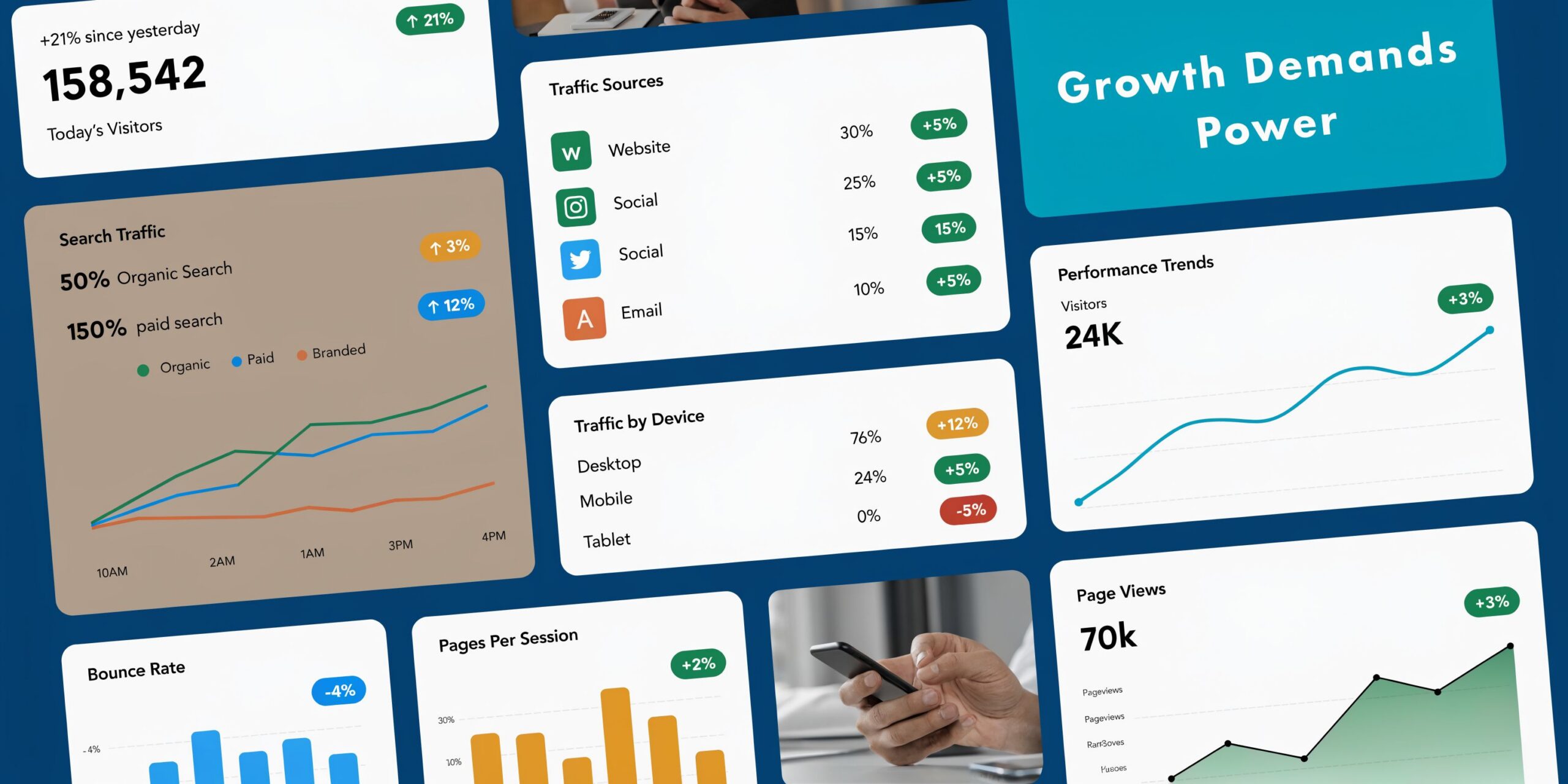
A familiar pattern shows up before the upgrade. Shared hosting starts throwing resource warnings. A VPS runs well for months, then slows down after traffic spikes, plugin updates, or a database that has outgrown the original plan. The website still works, but it feels fragile.
Three situations usually justify the move.
Your workload is no longer predictable
An online store with regular promotions is a good example. Most days look normal. Then a campaign lands, checkout slows, and inventory or order queries start competing with everything else on the box.
On shared hosting or a small VPS, you are not only managing your own workload. You are also dealing with limits imposed by the platform. On a dedicated server, the hardware belongs to your workload.
You need operating system level control
Developers usually feel this first. They need specific packages, background workers, custom services, or a virtualization stack that does not fit neatly inside a standard hosting panel.
If your deployment process now involves workarounds, a dedicated environment is usually cleaner than continuing to patch around platform restrictions.
Security and isolation are essential
A business that handles customer data, internal tools, private applications, or multiple client sites usually reaches a point where tighter isolation matters as much as raw speed. A dedicated server gives you a better foundation for firewall policy, access control, logging, and workload separation.
A server upgrade is worth doing before outages become customer-facing. Buying headroom is cheaper than explaining recurring slowness to customers.
The upgrade does not need to be extravagant. It needs to be deliberate. The right dedicated server removes the main bottlenecks, gives you room to harden the environment properly, and stops routine growth from turning into emergency infrastructure work.
What Is a Dedicated Server and Who Needs One
A dedicated server gives one customer exclusive use of the physical machine. CPU cores, RAM, storage, and network capacity are reserved for that workload, which removes the resource contention common on shared hosting and many low-end VPS plans.
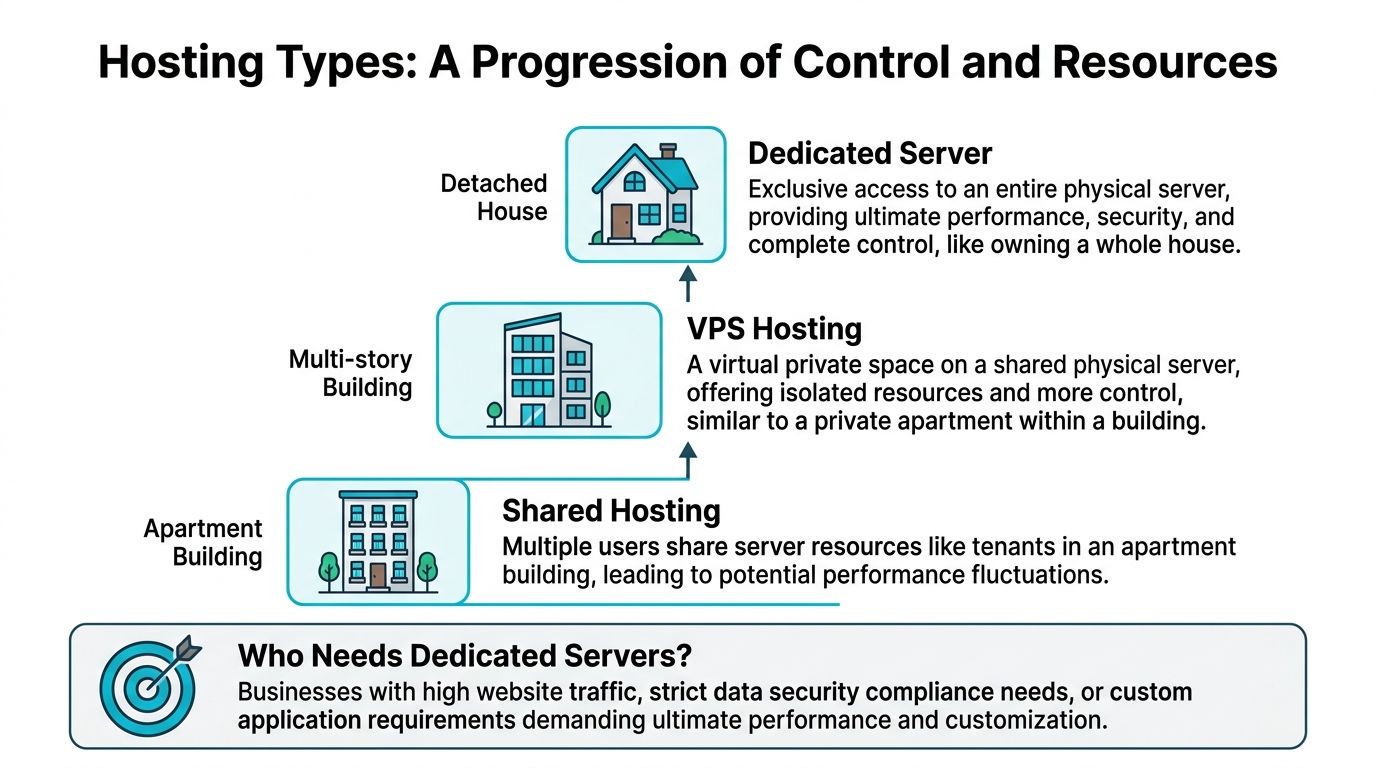
That exclusivity changes more than performance. It changes how you operate. You can control the OS, set your own security baseline, run custom services, and isolate production workloads without inheriting the limits of a crowded platform.
Bare metal versus hosted dedicated service
People use these terms loosely, but the difference affects cost and day-to-day work.
A bare metal server is the physical system. You rent access to hardware and take responsibility for what runs on it.
Dedicated server hosting includes the service wrapped around that machine. That can include provisioning, remote management access, hardware replacement, operating system installs, monitoring, backups, and full or partial administration.
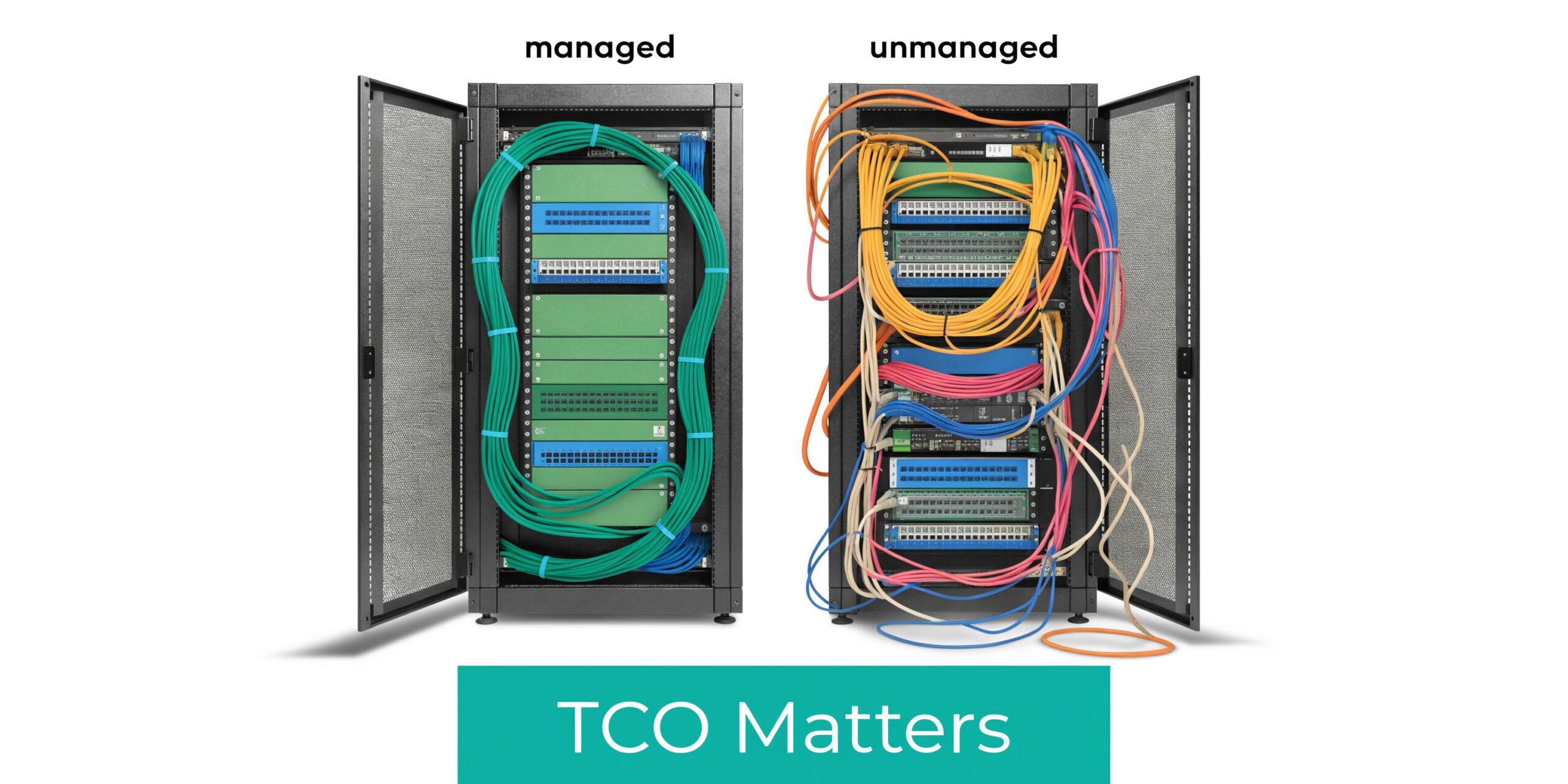
This distinction matters for Total Cost of Ownership. A cheap unmanaged server can look attractive on the invoice and still cost more over a year if your team is handling patching, failed disks, backup checks, overnight alerts, and recovery work internally. A managed provider such as ARPHost can cost more upfront and still reduce total spend by cutting internal labor, downtime risk, and avoidable mistakes.
Who benefits most
Dedicated servers fit teams that have outgrown entry-level hosting in ways that affect revenue, operations, or risk.
- eCommerce teams benefit from predictable database and application performance during sales periods, product launches, and seasonal traffic spikes.
- Developers and platform teams need root access, custom runtimes, workers, containers, private registries, or hypervisors that shared environments cannot support cleanly.
- Agencies hosting multiple client sites need stronger tenant separation and better control over backups, staging, and incident response.
- Businesses running internal apps or client portals often need tighter access control, clearer logging, and cleaner separation between public and private services.
- High-bandwidth workloads such as downloads, media distribution, or backup targets need network terms that are clear enough to budget against. It helps to review unmetered bandwidth dedicated server options before assuming the lowest monthly quote is the cheapest long-term choice.
The common thread is not prestige. It is operational fit. If a service interruption, slow query performance, or hosting restriction now costs staff time or customer trust, dedicated infrastructure starts to make business sense.
When a VPS is still enough
A VPS is still the right tool for many growing companies.
Keep the VPS if the workload is steady, the application stack is conventional, and the team values quick resizing over full control of a physical machine. A well-run VPS can comfortably handle many line-of-business apps, smaller stores, SaaS prototypes, and low-traffic APIs.
The mistake I see is not staying on VPS too long by a few weeks. It is choosing a very cheap dedicated server before the team is ready to operate it. If nobody owns patching, monitoring, backups, access reviews, and incident response, the lower monthly price is misleading.
A dedicated server is the better move when the business needs predictable performance and the operational discipline to run it properly, or when a managed host provides that discipline as part of the service.
Decoding Dedicated Server Costs and Performance
A dedicated server quote is only useful if you can read what drives both the price and the machine's behavior. CPU model names, RAM totals, storage labels, bandwidth promises, and data center location all matter. They just do not matter equally for every workload.
CPU and RAM decide how the server behaves under load
For web applications, the CPU question is not just “how many cores.” It is whether the workload needs more parallelism, faster single-thread performance, or both.
A busy application server with workers, queues, and scheduled jobs benefits from more cores. A database-heavy application can still feel slow if storage is weak, even when the CPU looks strong on paper.
RAM is less glamorous, but poor RAM sizing creates constant churn. Databases cache more effectively with headroom. PHP workers, search services, background queues, and containers all become easier to operate when the machine is not living at the edge of memory pressure.
A practical approach:
- Website and application nodes benefit from balanced CPU and memory.
- Database servers usually justify extra RAM early.
- Virtualization hosts need enough RAM for guest systems first, then space for the host itself.
Storage is where many “cheap” servers fall apart
Storage is often the difference between a server that feels responsive and one that appears busy all day for no obvious reason. For affordable dedicated server hosting, NVMe has changed the baseline.
Infrastructure in lower-cost regions such as Germany and the Netherlands commonly starts around $50/month, driven by dense data center markets and lower operating costs. In those affordable builds, modern AMD platforms and NVMe 4.0 storage have become common rather than premium extras (UCartz dedicated server locations overview).
Here is the practical comparison.
| Storage Type | Average Read/Write Speed | Typical IOPS | Best For | Relative Cost |
|---|---|---|---|---|
| HDD | Lowest of the three | Lowest of the three | Archives, backups, bulk storage | Lowest |
| SATA SSD | Faster than HDD, slower than NVMe | Moderate | Standard web hosting, lighter apps | Mid-range |
| NVMe SSD | Sustained sequential reads are very fast on similar hardware | Can significantly boost random read/write benchmarks over traditional options | Databases, eCommerce, busy apps, virtualization | Higher |
The technical reason is straightforward. NVMe uses the PCIe interface and supports much deeper queues than SATA, which reduces latency and improves throughput for workloads that hit storage constantly. If your application spends its day reading and writing small chunks of data, NVMe is usually worth prioritizing over a slightly stronger CPU.
If budget forces a trade-off, most growing application stacks benefit more from better storage than from buying extra CPU they rarely use.
Bandwidth and location shape both cost and user experience
“Unmetered” is useful, but it is not the same as infinite performance. You still need to know the port speed, contention expectations, and whether your traffic pattern is bursty or sustained. For a deeper breakdown, this guide to unmetered bandwidth dedicated server solutions is useful: https://arphost.com/your-guide-to-unmetered-bandwidth-dedicated-server-solutions
Location also matters for latency and operations. A server close to your customers improves responsiveness. A server in a market with cheaper power and dense data center competition may lower monthly cost. The right answer depends on where your users are, what regulations apply, and whether support responsiveness matters more than shaving a small amount off the bill.
Managed vs Unmanaged The Critical TCO Decision
The most expensive dedicated server is often the one with the lowest advertised monthly price.
That sounds backward until you run an unmanaged server during a bad week. A security patch is missed. A service crashes overnight. Backups were “configured” but not tested. Somebody now has to log in, diagnose the issue, fix it, and document what happened while the business is waiting.
A cheap plan is rarely the actual bill
For unmanaged hosting, the advertised base price only covers the machine. The rest arrives later.
According to the market summary cited by ServerMart, the hidden total cost of ownership can reach 2 to 3 times the monthly fee, with businesses discovering extra costs for IP addresses, DDoS protection, Windows licensing, and paid support. In that same summary, a $70/month plan can become a $200 to $500/month reality, while managed services can cut TCO by 15 to 25% by reducing downtime and troubleshooting costs (ServerMart dedicated server pricing discussion).
That lines up with what operators see in practice. The bill is not just the invoice. It includes:
- Engineering time spent patching, hardening, and troubleshooting
- Downtime exposure when nobody owns monitoring after hours
- Security drift from rushed changes and inconsistent updates
- Emergency support purchased only after something fails
What unmanaged hosting requires from your team
An unmanaged dedicated server is not wrong. It is a fit for teams that already know what they are taking on.
You need someone to handle:
- Initial OS hardening
- Patch cycles and reboot planning
- Firewall policy and service exposure
- Monitoring, alerting, and log review
- Backup design and restore testing
- Incident response when the issue appears at the wrong time
If those tasks already live inside your team with clear ownership, unmanaged can work. If they live on a sticky note or in one person’s memory, unmanaged gets expensive fast.
A useful technical overview sits here: https://arphost.com/your-guide-to-fully-managed-dedicated-server-hosting
What management changes
Managed service changes the operating model. Instead of renting hardware and hoping your team has spare cycles, you move routine infrastructure work into a defined support relationship.
That includes items such as operating system updates, monitoring, backup oversight, security tooling, and issue escalation paths. In a small business, that shift matters because infrastructure stops competing with product, sales, and customer work for attention.
A short walkthrough on dedicated server operations fits well here:
If your business cannot afford a late-night outage, it also cannot afford pretending that unmanaged hosting is free to operate.
If you need predictable support coverage, request a managed services quote at https://arphost.com/managed-services/.
Sizing and Configuring Your First Dedicated Server
A common first-upgrade mistake looks like this: a team buys the biggest CPU it can justify, keeps the same storage layout, and then wonders why imports, backups, and database writes still drag. Dedicated hardware fixes noisy-neighbor problems, but it does not fix poor sizing.
Start with the workload that creates delays, not the spec sheet.
Step one, measure the system you already have
Before ordering anything, inspect the current environment under normal traffic and during peak jobs. The goal is to find the resource that runs out first.
Useful Linux checks:
uptime
free -h
df -h
top
iostat -xz 1
vmstat 1
Use the results to answer a few practical questions.
- CPU pressure: Are application workers busy, or is the processor spending time waiting on disk?
- Memory pressure: Does the system swap during ordinary traffic, cron jobs, or backup windows?
- Storage latency: Do writes pile up during imports, reporting, media processing, or checkout spikes?
- Growth rate: Which data sets are expanding fastest, and how quickly will they eat the current storage budget?
That last point affects TCO more than many buyers expect. An "affordable" server with too little RAM or the wrong disk tier often turns into extra admin time, emergency tuning, and an earlier upgrade than planned.
Three practical configuration blueprints
These are starting points based on workload shape. They are not fixed templates.
Content and eCommerce hosting
WordPress, WooCommerce, and similar stacks usually respond best to faster storage and enough RAM for the database, cache, and PHP workers to stay comfortable under load.
Choose:
- NVMe storage for application and database I/O
- Enough RAM to reduce disk reads for hot data
- A control panel only if the team will use it
Control panels are a good example of TCO trade-offs. They can save labor if junior staff need repeatable workflows for sites, mail, and DNS. They also add license cost, service overhead, and another layer to patch and troubleshoot. If one application owns the box, a clean manual stack is often cheaper to run.
Database-first workloads
If the database drives the application, buy around memory and storage performance first.
Priorities:
- More RAM before cosmetic extras
- NVMe instead of slower storage tiers
- Backup design from day one
- Query review before scaling the hardware
A balanced database server usually outperforms a CPU-heavy build with mediocre disks. It also costs less to operate because the team spends less time chasing timeout symptoms that are really storage problems.
For internet-facing applications, include network protection in the sizing discussion. A server that looks inexpensive on paper can become costly fast if attacks saturate the link or force manual mitigation. This technical guide to dedicated server DDoS protection covers what to check before traffic is live.
Virtualization and private cloud use
A dedicated server can also act as a virtualization host for Proxmox, internal services, isolated customer workloads, or lab systems. That model gives a growing company flexibility, but poor sizing gets expensive quickly because every mistake affects multiple guests at once.
Plan capacity as shared pools:
- Reserve memory for the host before assigning RAM to guests
- Budget CPU for aggregate VM demand, not a single VM
- Separate storage tiers when the workload justifies it
- Keep backups outside the host
One option in this category is ARPHost, LLC, which offers bare metal servers, Proxmox private clouds, and managed support for teams that want dedicated hardware without handling every infrastructure layer internally.
Managed support matters more in virtualization than many first-time buyers assume. The hardware bill may still look affordable, but its true cost includes host maintenance, failed-node planning, snapshot discipline, backup verification, and performance troubleshooting across guests. If your team does not already do that work well, the cheaper unmanaged path often stops being cheaper after the first serious incident.
Build for the next move, not just today
The first dedicated server should leave room for a clean second step. Good infrastructure buys time and options.
Look for a design that lets you add backup capacity, split the database later, or move services into separate VMs without rebuilding everything from scratch. Document the layout, package choices, mount points, and service dependencies while the environment is still simple.
Buy the server your team can maintain without guesswork. A slightly smaller system with clear workload separation and predictable support usually has a lower total cost than an oversized machine that no one has time to run properly.
Deployment Migration and Security Best Practices
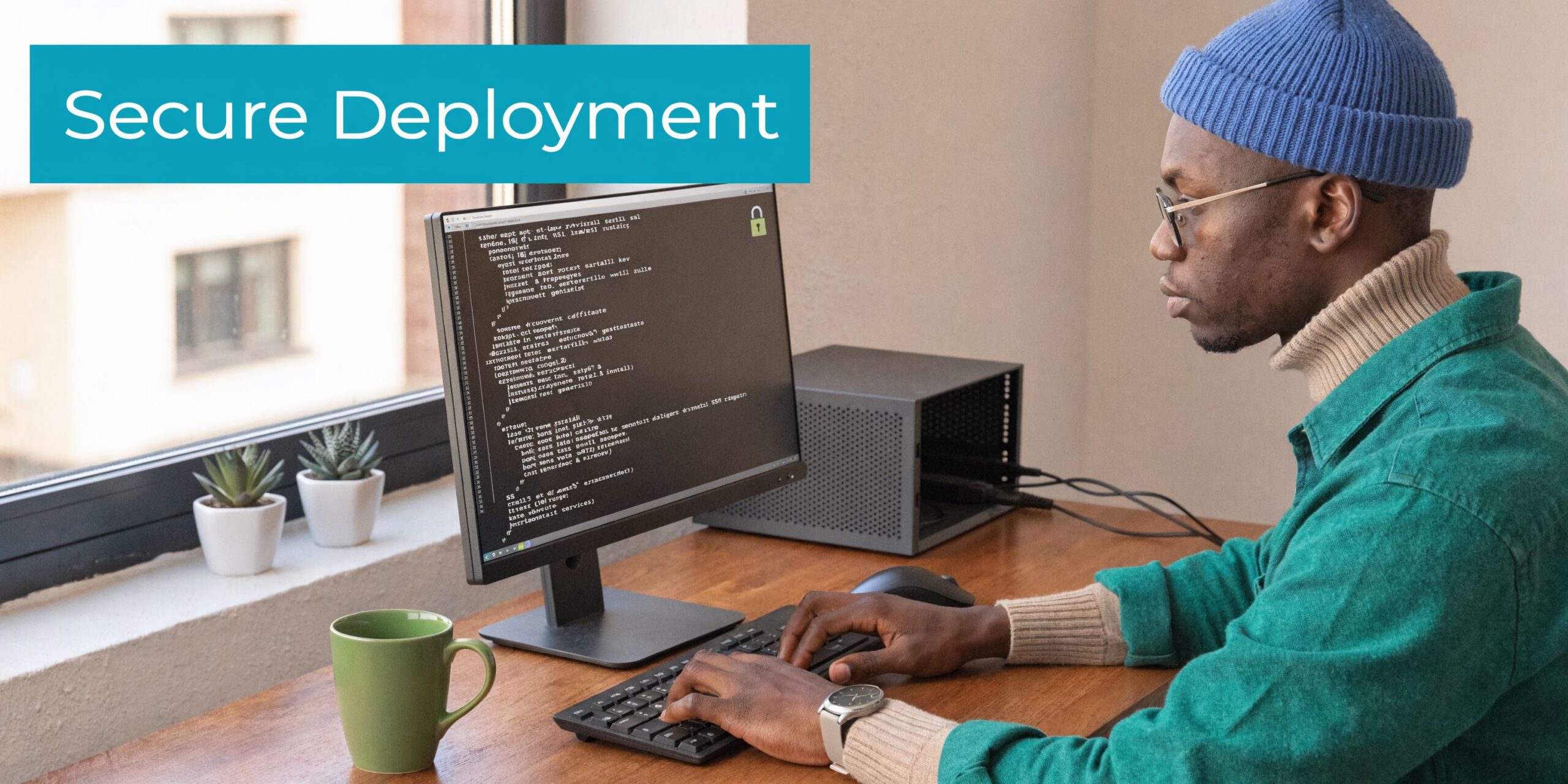
Provisioning a dedicated server is easy. Deploying it cleanly is where discipline matters.
A rushed migration creates the kind of problems that make teams blame the hardware for mistakes in setup. The safer approach is to build the new server as if it will be audited tomorrow.
Day one provisioning checklist
Start with the operating system your team knows how to maintain. Familiarity is a security feature.
Then handle the basics in order:
- Install the OS and apply all current updates.
- Create an administrative user and limit direct root login where practical.
- Configure SSH access with key-based authentication.
- Set the hostname, time sync, package baseline, and logging.
- Enable a host firewall and only open required services.
- Install monitoring before production traffic lands.
- Configure backups before migrating live data.
Basic Linux hardening commands often begin with package updates and firewall setup:
apt update && apt upgrade -y
apt install ufw fail2ban -y
ufw allow OpenSSH
ufw enable
systemctl enable fail2ban
systemctl start fail2ban
If the server will host multiple websites, email, databases, and users, a control panel can help. Webuzo is a practical option when the goal is simpler administration without hand-building every site stack. For teams with stronger Linux experience, staying panel-free can reduce complexity.
Migrate with rollback in mind
Migration work goes more smoothly when the cutover plan is explicit.
A clean sequence looks like this:
- Stage the destination first: Install runtimes, users, services, and folder structure.
- Copy data before the final sync: Move application files and database dumps while the old system is still live.
- Test privately: Verify permissions, services, cron jobs, and application behavior before public cutover.
- Schedule a short change window: Freeze changes briefly, perform the last sync, then switch traffic.
- Keep the old system available: Do not terminate the source immediately.
For file-heavy workloads, rsync remains one of the most practical tools:
rsync -avz --delete /source/path/ /destination/path/
For virtualization projects, the same principle applies. A VMware to Proxmox move should be treated like an application migration, not a file copy. Validate guest boot behavior, storage layout, network assumptions, and backup jobs before declaring success.
Security controls that should exist before launch
Security hardening is not a final polish step. It is part of deployment.
Focus on:
- Firewall policy: Only required services should be reachable.
- Patch cadence: Define who updates what and when.
- Endpoint and malware controls: Especially important for CMS hosting and multi-site environments.
- Backups: Automate them, encrypt them where appropriate, and test restores.
- DDoS posture: Know what the provider includes and what you still need to add.
For a practical review of network-layer protection, see this technical guide to dedicated server DDoS protection: https://arphost.com/dedicated-server-ddos-protection-a-technical-guide-to-securing-your-infrastructure
A server is not production-ready when the app loads in a browser. It is production-ready when access is controlled, backups are tested, and recovery steps are documented.
Advanced Strategies to Maximize Your Investment
A dedicated server becomes much more valuable once you stop treating it as a single-purpose box.
Turn one server into an internal platform
Proxmox VE is a practical way to split one physical server into multiple isolated workloads. A common pattern is to run:
- A KVM virtual machine for the public web application
- A separate VM for the database
- LXC containers for workers, staging tools, or internal utilities
- A backup target or replication job outside the production guest path
This arrangement improves change control. You can patch one workload without touching all of them. You can also snapshot, test, and rebuild with less risk than a monolithic server.
Build a hybrid environment deliberately
Some businesses should keep customer-facing applications on dedicated infrastructure while pushing secondary jobs elsewhere. Backups, CI pipelines, reporting tasks, and temporary dev systems do not always belong on the same hardware as production web traffic.
That creates a hybrid model:
- Dedicated server for steady production load
- VPS nodes for short-lived services or edge tasks
- Private cloud resources for internal systems and client separation
- Colocation where custom hardware or compliance drives the decision
This is usually cleaner than stuffing every service onto one machine because “there is room.”
Treat networking and operations as part of the platform
Teams often improve compute and storage while leaving network design unchanged. That limits the value of the upgrade.
Useful next steps include:
- Segregating public and internal workloads
- Standardizing firewall policy
- Documenting VPN and admin access paths
- Monitoring interface health and service reachability
- Reviewing switch and routing design if the server becomes part of a broader environment
Juniper-based environments, private VLAN design, and managed network policy all become relevant once the dedicated server grows into core infrastructure rather than simple hosting.
The true return on a dedicated server comes from structure. Isolation, repeatable deployment, and controlled access usually matter more than squeezing one more service onto the same machine.
Frequently Asked Questions About Dedicated Servers
Can I get a dedicated server with cPanel or Plesk
Usually yes, provided the provider supports the panel and the operating system combination you need. The practical issue is not availability. It is licensing cost, update management, and whether a panel matches your workflow. For one application server, a panel may be unnecessary. For multi-site hosting, it can save time.
What should I look for in an SLA
Read the wording carefully. A network uptime commitment is different from a hardware replacement commitment. One tells you what happens if connectivity fails. The other tells you how the provider handles physical component failure. You want both definitions to be clear before the server goes live.
Is affordable dedicated server hosting still practical for sustainability-focused buyers
Yes, but you need to look beyond the CPU label. As of 2026, interest in green dedicated servers is growing, and emerging ARM-based options such as Ampere Altra are associated with 30 to 40% lower power consumption, with the potential to reduce long-term TCO by 20 to 25% as electricity costs rise (AIT discussion of affordable dedicated servers and ARM efficiency).
That does not mean ARM is automatically the right answer. Compatibility, software support, and workload type still matter. But for virtualization, backup systems, and some application stacks, power efficiency is becoming part of the affordability conversation.
Should I choose managed or unmanaged
Choose unmanaged only if your team already owns server operations in a disciplined way. If nobody clearly owns patching, backup testing, monitoring, and incident response, managed is usually the safer financial decision.
What is the next step if I am unsure about sizing
Start with your current usage data, identify the busiest workload on the system, and design around that. If growth is steady and you expect multiple services soon, a virtualization-ready dedicated host is often the cleaner long-term move.
If you are weighing bare metal, Proxmox private cloud, secure web hosting, or fully managed infrastructure, talk with ARPHost, LLC to map the server around your actual workload rather than a generic plan label. A good hosting decision should lower operational drag, not add another system your team has to babysit.